Weeknight dinners, without the juggling.
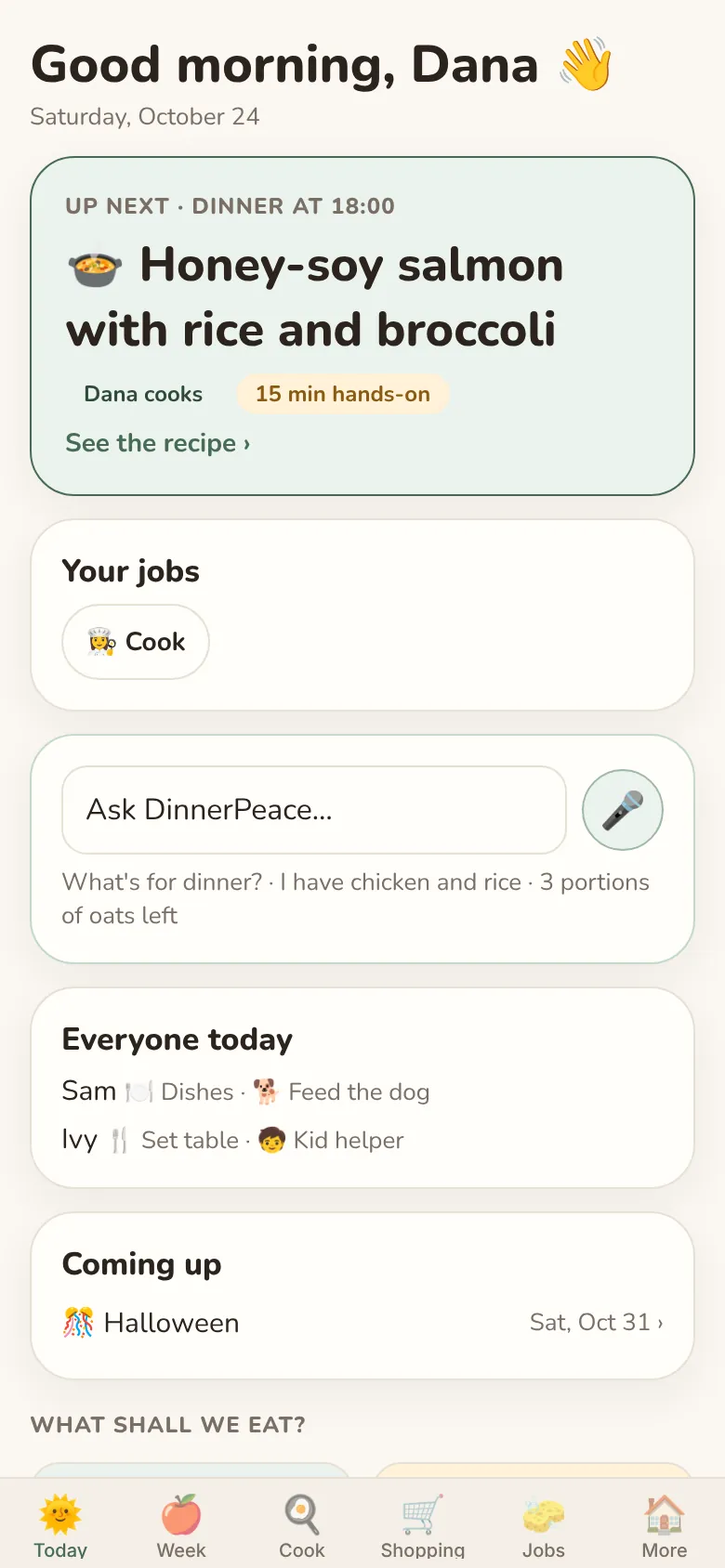
DinnerPeace plans your family's week around everyone's allergies, tastes and busy nights. It writes the shopping list and shares out the kitchen jobs. Nothing happens until you say yes.
New and in testing with a small group of families on iPhone.
For families
Less thinking about dinner. More eating it.
A week planned for your family
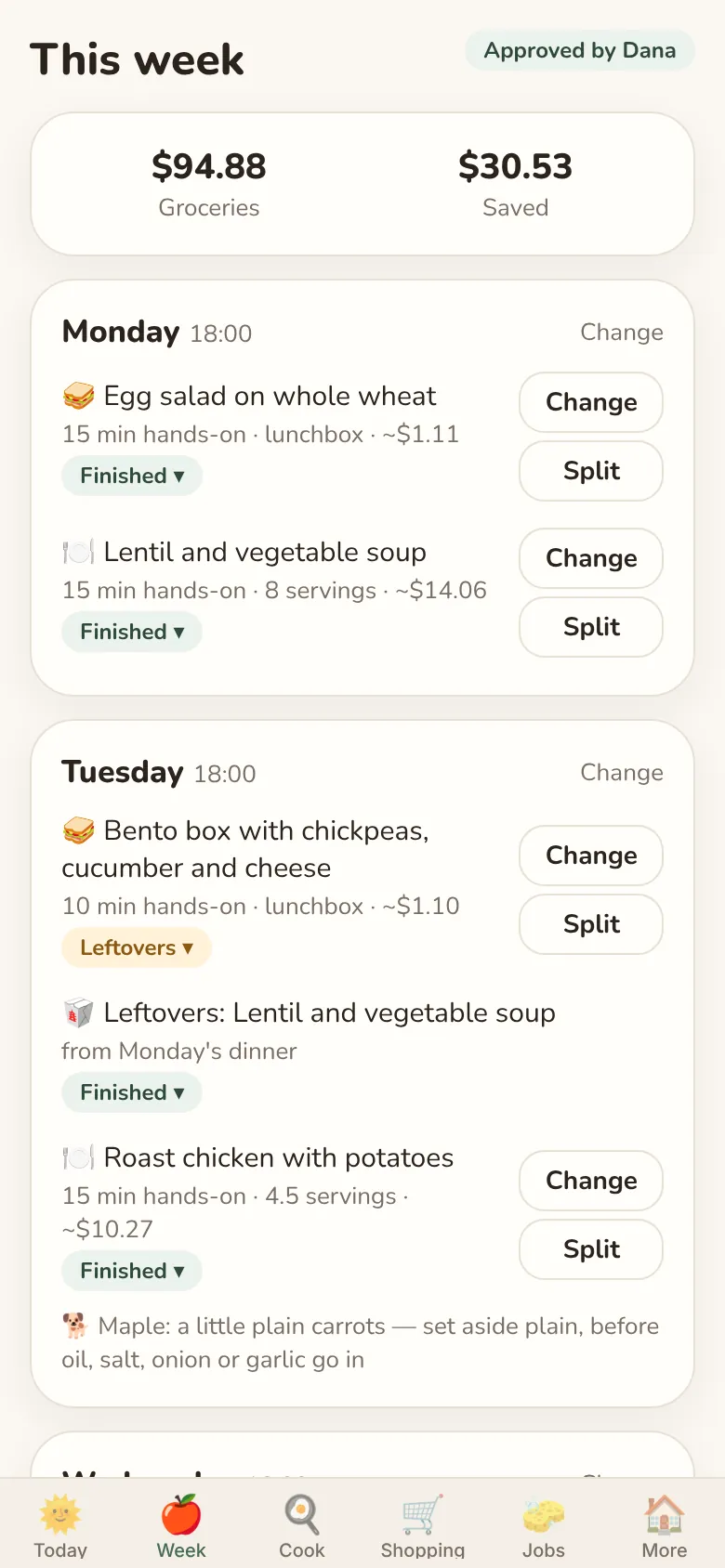
Tell DinnerPeace who's eating, what they won't eat and how much time you have. It plans the week, keeps every allergy out, and turns Monday's extra soup into Tuesday's lunch. Don't fancy something? Tap Change.
When the plan looks right, an adult taps Approve.
One shopping list, sorted
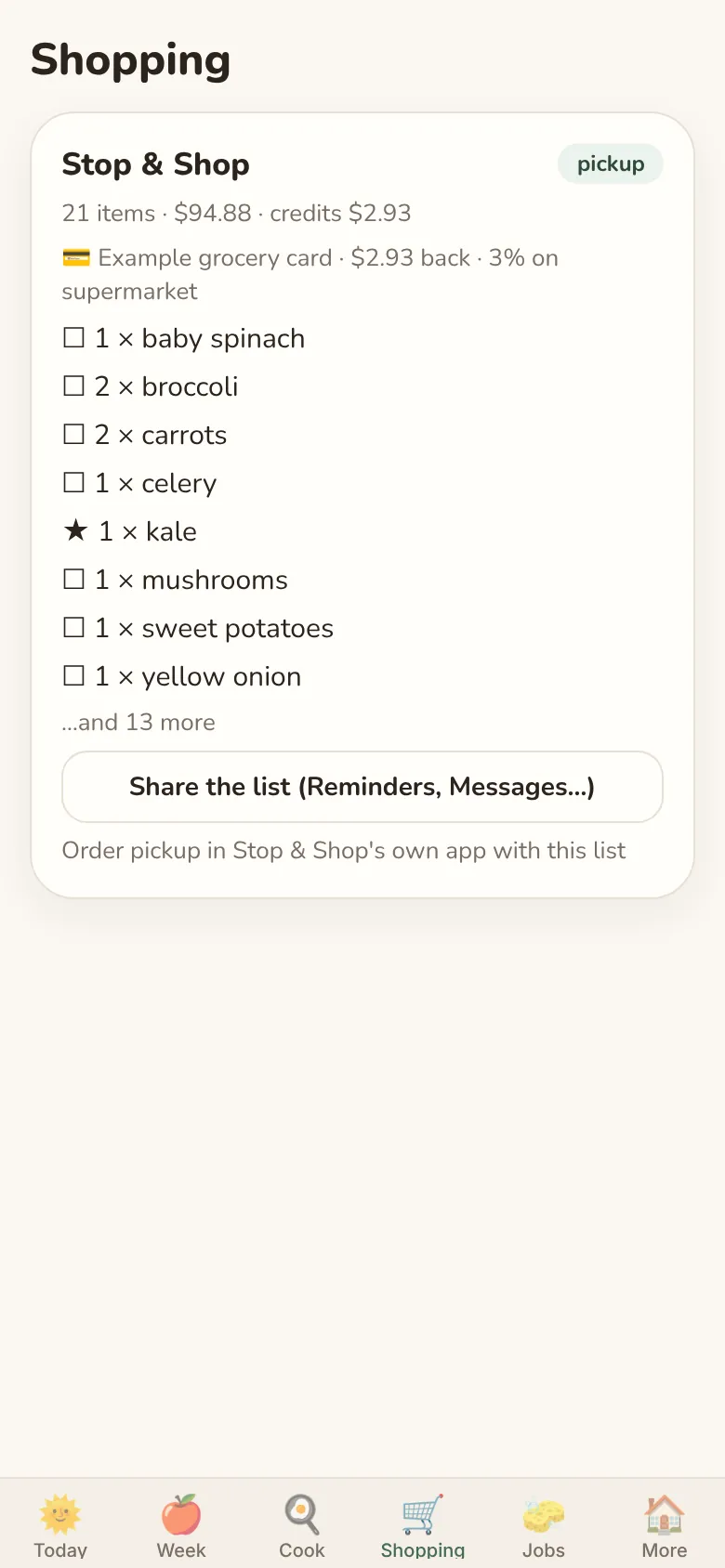
The list is grouped the way the store is laid out. DinnerPeace checks this week's specials and suggests the store, or pickup, that works out best.
Share it to Reminders or Messages, or hand it to Instacart, Amazon, DoorDash, Uber Eats or Walmart. DinnerPeace never buys anything itself.
Different nights, different ways to decide
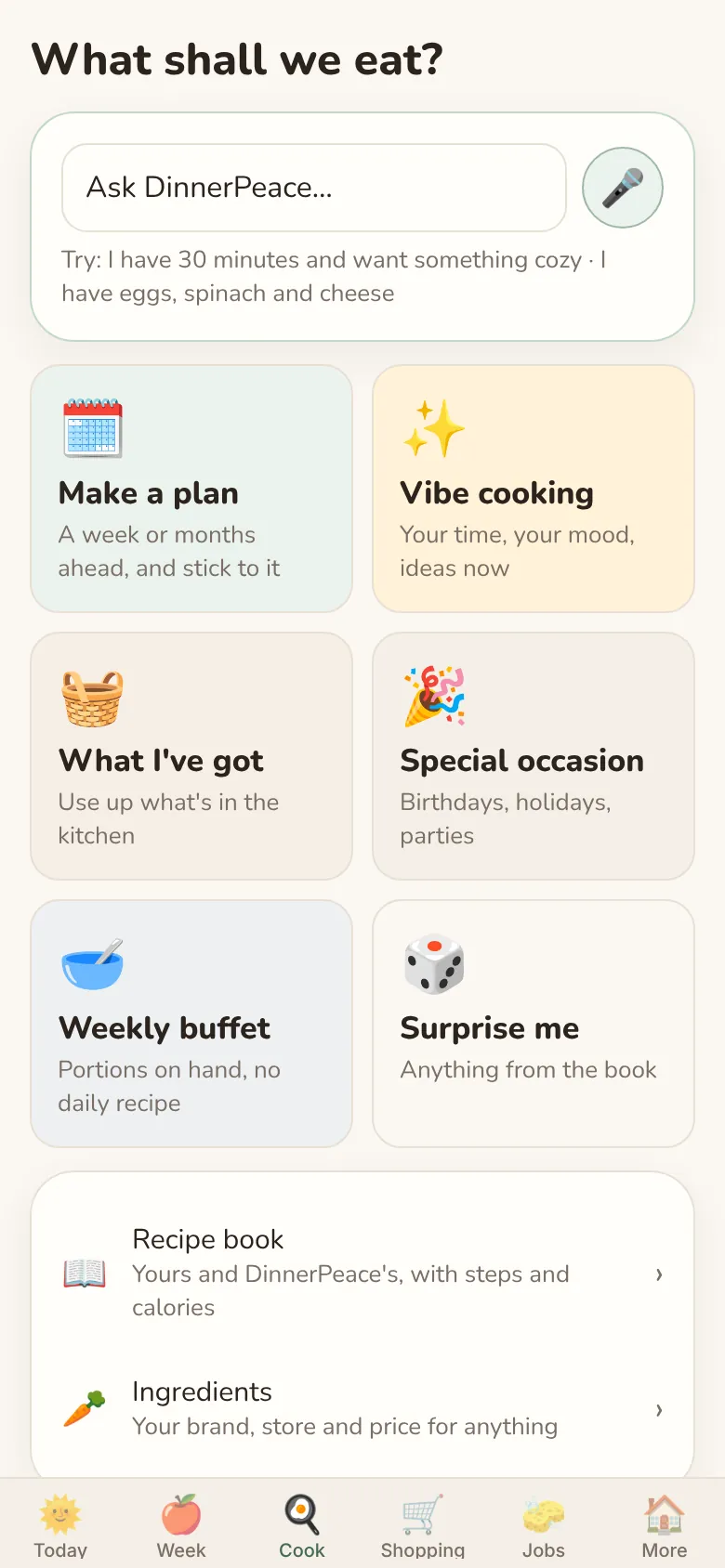
Plan a whole week, or just ask: “I have 30 minutes and want something cozy.” Cook from what's already in the fridge, plan a birthday, or let DinnerPeace surprise you.
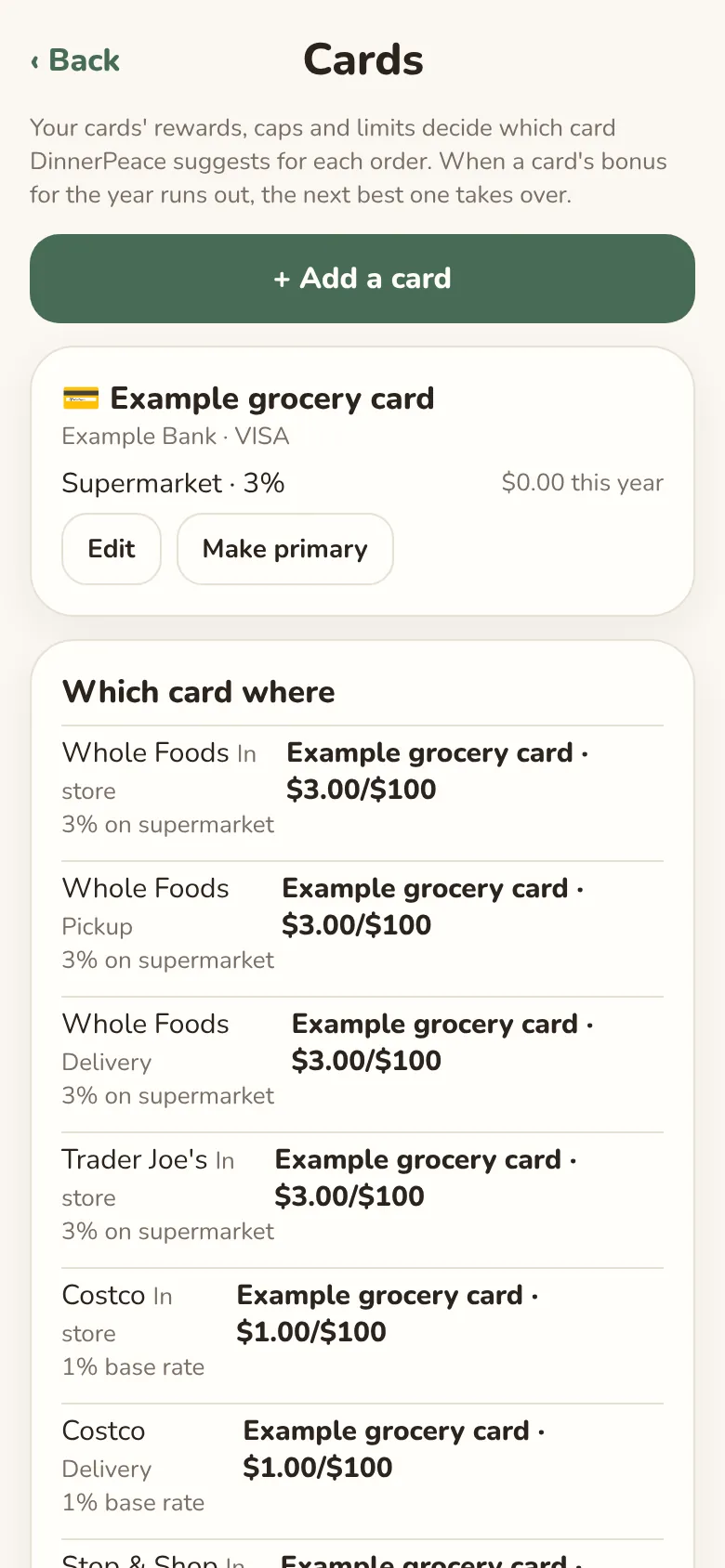
The right card at each store
Add your cards' rewards and limits, and DinnerPeace suggests which one to use for each order. Card numbers are never stored, just a name you'll recognise.
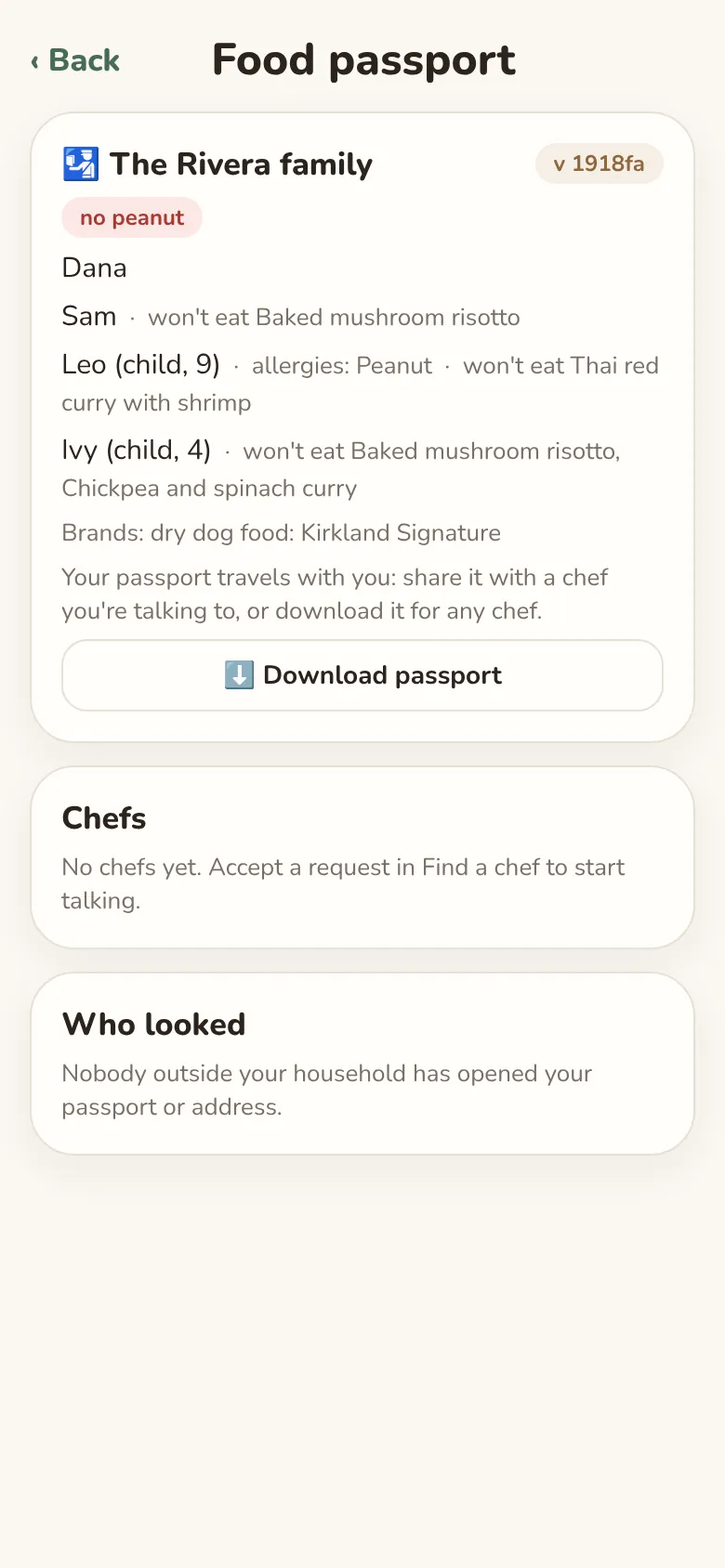
A food passport for your chef
Everyone's allergies, likes and dislikes on one page. You choose which chef sees it, and you can download it any time.
Jobs, shared fairly
Cooking, dishes, setting the table, feeding the dog. DinnerPeace takes turns so it evens out over the month, and kids can have a chef night with an adult helping.
Allergy checks are always free
Every plan, swap and recipe is checked against everyone's allergies, and against foods that aren't safe for your dog. That's never behind a paid plan.
For personal chefs · DinnerPeace Pro
Cook for several families without the paperwork.
If you cook for a few households each week, Pro keeps each family's details, your shopping and your notes in one place. Every family you cook for gets the family app free.
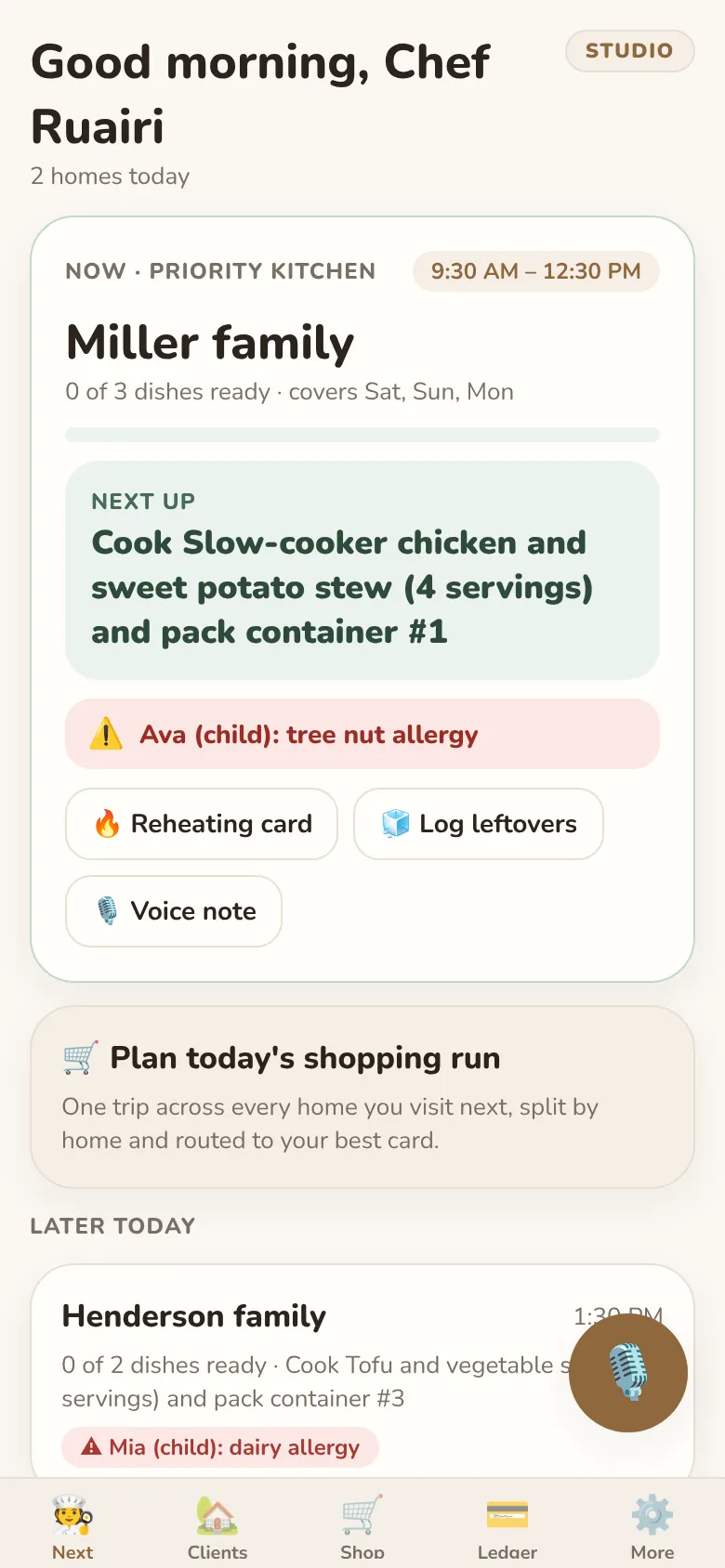
What's next, at a glance
Open the app and see the kitchen you're in, the next dish to make and anyone's allergies, then the homes still to come today.
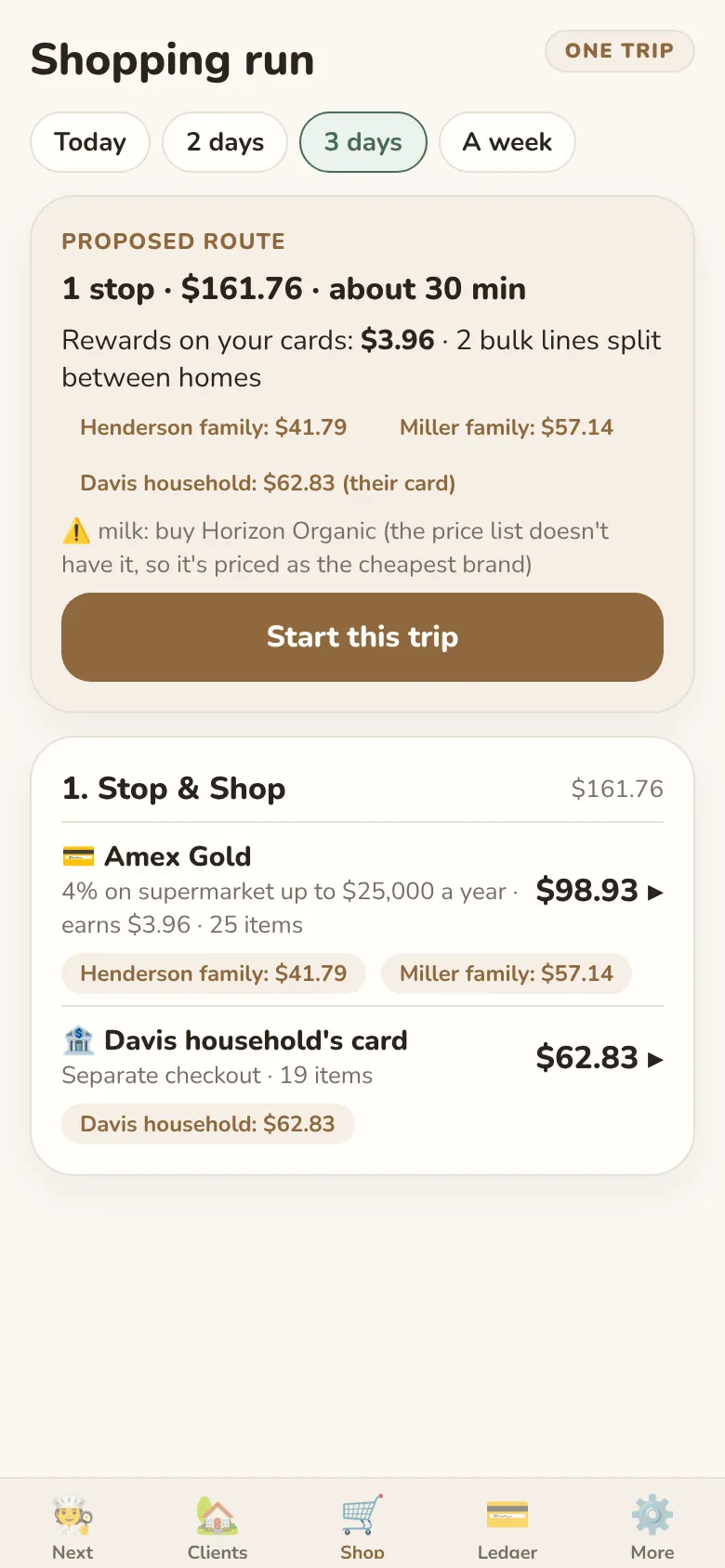
One shopping trip for every home
DinnerPeace puts the next few days' shopping into one trip, splits the cost between families, and shows which card to use. If you pay, it keeps each family's share ready to invoice; if a family pays with their own card, their items get their own checkout.
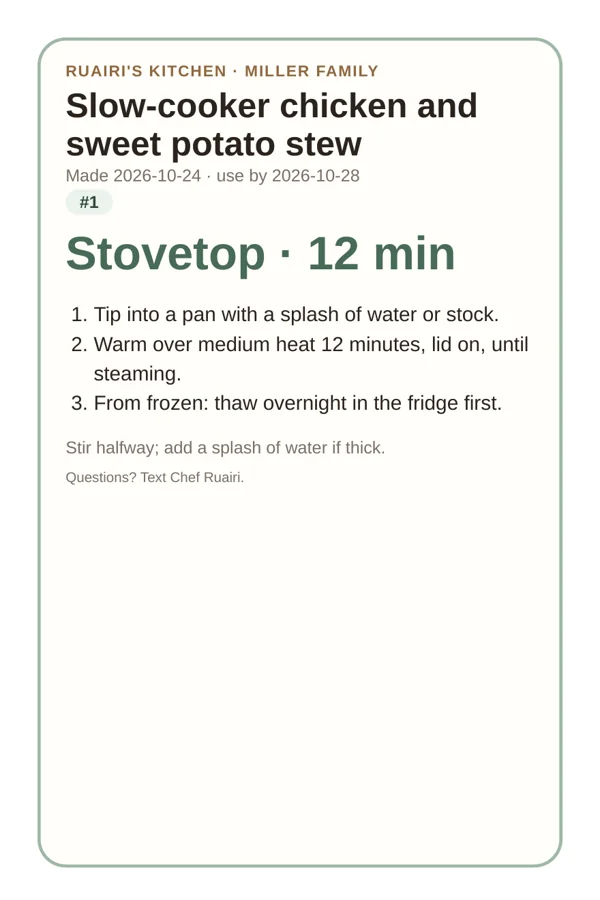
Reheat cards
Print a 4×6 label for the container or a letter page for the fridge, or text the family a link. Each card has the dish, the use-by date and how to warm it up.
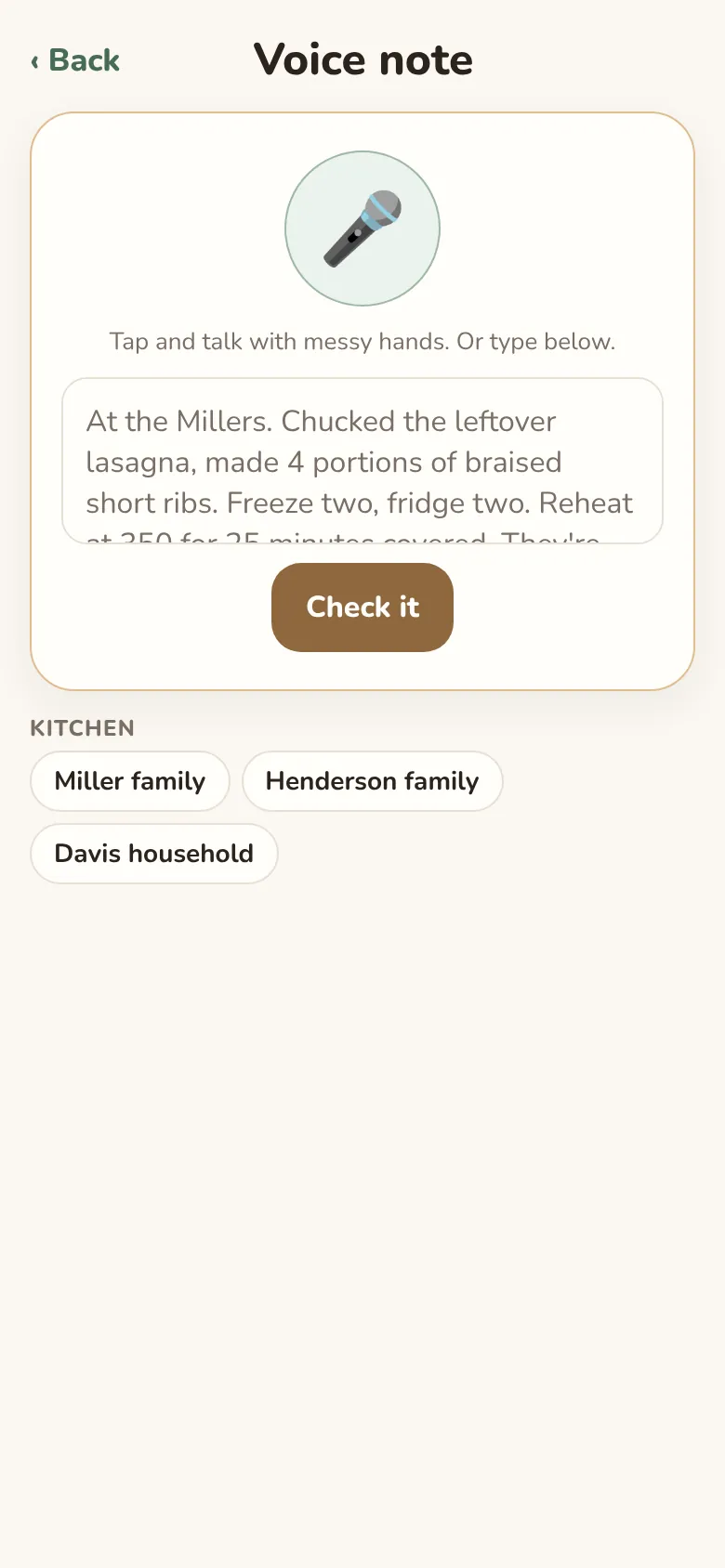
Voice notes
Hands messy? Say what you made and where it went. DinnerPeace logs the containers and adds anything that ran out to the family's list, after checking allergies first.
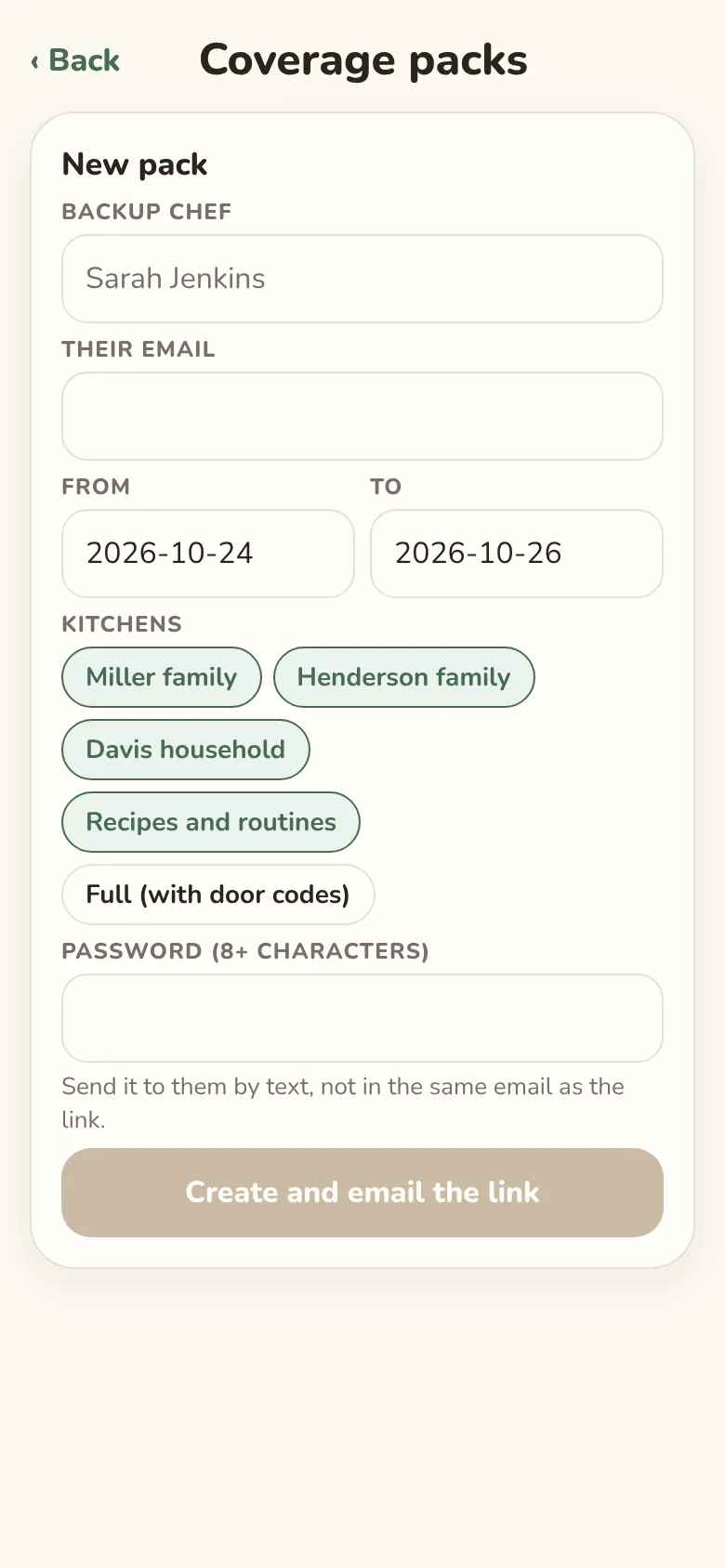
Cover when you're away
Make a password-protected page for a backup chef that only opens between the dates you choose. Door codes are only included if you say so.
Finding each other
Families can say they're looking for a chef and what they'd like to pay. Chefs can list a profile and find families nearby. Until a family accepts a request, a chef sees only their town, how many people there are and the allergies to cook around. Never names or a street address. Families can change chef whenever they like.
Pricing
Free to start. Simple after that.
While we're testing, families get everything in Family for free.
For families
Family Free
$0
- A week of meals planned around everyone
- Shopping list sorted by aisle, with store suggestions
- Recipes, kitchen jobs and the pantry
- Allergy checks for everyone
- Card suggestions and delivery hand-offs
- Find a personal chef nearby
Family
$4.99 a month
- Everything in Free
- Plan up to 12 weeks ahead
- Cook from what you have
- Printable fridge calendars
- Import and export as a spreadsheet
For personal chefs
Chef Solo
$29 a month
- Up to 3 families, each with the family app free
- Today's kitchens and what's next
- Each family's allergies, likes and brands
- Container log, reheat cards and voice notes
- Budgets and receipts per family
- A profile families nearby can find
Chef Studio
$59 a month
- Everything in Solo, for as many families as you cook for
- One shopping trip across homes, split by family
- Card suggestions and invoices per family
- Coverage pages for a backup chef
- Your name and logo on reheat cards
Prices are in US dollars. Subscriptions go through the App Store, where you can cancel any time.
Get the app
Try DinnerPeace
DinnerPeace is on iPhone through Apple's TestFlight while we test it with a small group of families and chefs. Send us an email and we'll send you an invitation.
Android and a version for your computer are coming later.
Questions
Good to know
Does DinnerPeace buy anything or order for me?
No. It plans and writes the list. An adult approves the week, and you place the order yourself, in the store's app or by handing the list to a delivery service.
Where does AI come in?
The planning itself follows your rules exactly: allergies, time, budget, who's home. AI helps with small things: suggesting a recipe, reading a photo of a store flyer, and writing a friendly note about the week. If it's unavailable, the week still gets planned.
What happens to my family's information?
The AI never sees names: people are described as “adult” or “kid (9)”. Card numbers are never stored. You can delete your account, or your whole household, in the app.
I'm a personal chef. How do my families join?
Add a family in Pro and send them an invitation. They get the family app free while you cook for them, and they can use it to plan the nights you're not there.
Can we change chef?
Yes, at any time. When you end things with a chef, they lose access to your household straight away.
How do I get help?
Email support@dinnerpeace.app.